

Quick answer: Open your profile, go to Photos, choose Videos and upload a clip up to 30 seconds, up to 75 MB and at least 720p. You can also upload from the Google Maps app on your phone. Short, honest videos of your premises, team and work help customers trust you.
The limits
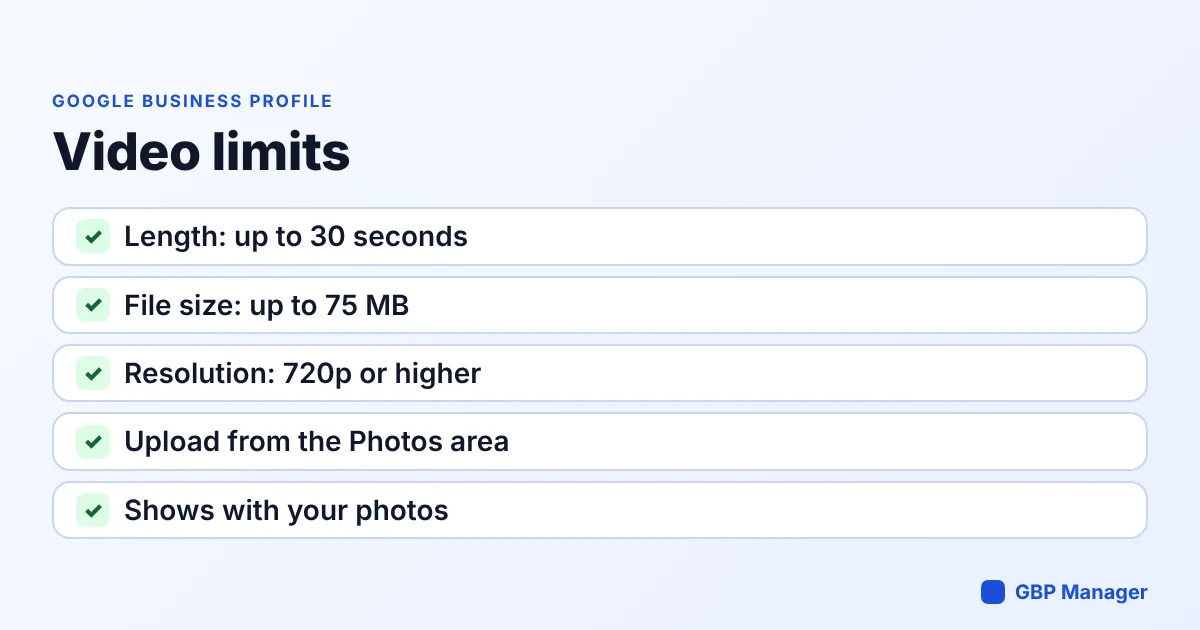
Google's help pages give these video limits:
- Up to 30 seconds long.
- Up to 75 MB.
- 720p resolution or higher.
Check the help page if an upload fails, as limits can change.
How to upload
From a computer
- Search your business name while signed in, or open the Business Profile Manager.
- Choose Add photo/video or open Photos.
- Choose Videos.
- Select the file and upload.
From the Google Maps app
- Open your profile in Maps.
- Tap the Updates or Photos area, then Add photo or video.
- Record or choose a clip.
What happens next
Videos go through review, like photos, and may take a day or so to show. If one does not appear, see photos rejected or pending. The same quality rules apply: real, relevant, no overlays or promotions.
Eight ideas for 30 seconds
- A walk from the street to your front door (helps people find you).
- A quick tour of the inside.
- Meet the team.
- A job being done, from start to finish, sped up.
- Before and after.
- A product close-up or a dish being plated.
- How to book, in one sentence.
- A seasonal update, such as holiday opening.
Tips for a clean clip
- Shoot horizontally in daylight.
- Keep the phone steady, or lean it against something.
- Skip music that may not be licensed.
- Do not read out phone numbers or discounts.
- Keep faces of customers out unless they agree.
Does video help ranking?
Google does not list video as a ranking factor. Video helps the person deciding. We explain what is known in do photos help ranking and the same logic applies to video.
Common mistakes
- Uploading a long ad cut from YouTube.
- A shaky clip in a dark room.
- Using someone else's footage.
- Adding a video and never updating it.
Quick answers
Can I put a YouTube link on my profile? You can link to your channel from your website link, but the profile takes uploaded video files.
Can I delete a video? Yes, from the Photos area as owner or manager.
Can customers add video? Yes, and you can report ones that break the rules.
How many videos can I upload? Google does not publish a small fixed number.
Try it
Add a video, then watch calls and website clicks in your performance data. GBP Manager helps track multiple profiles.