
Quick answer: In Google Maps, tap your profile picture, choose Your contributions (or Contributions), open Reviews, tap the three dots on the review and choose Edit review or Delete review. Only you can edit or delete your review, apart from Google removing reviews that break policy.
On a phone
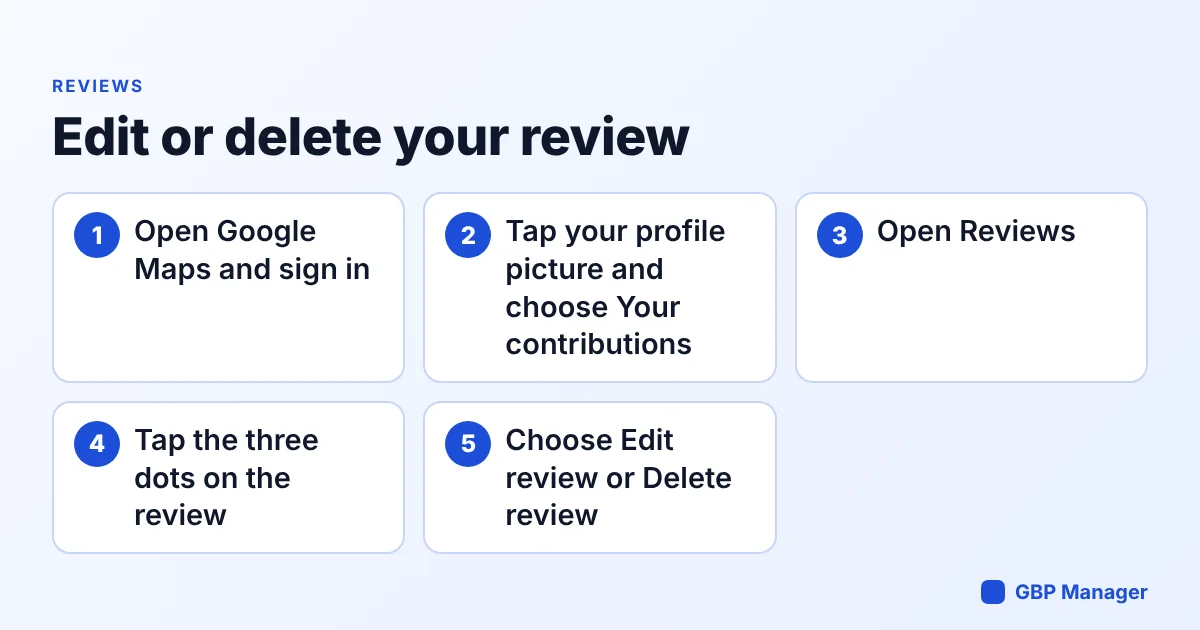
- Open the Google Maps app and sign in.
- Tap your profile picture at the top right.
- Choose Your contributions.
- Open the Reviews tab.
- Find the review and tap the three dots.
- Choose Edit review or Delete review.
- For an edit, change stars or text and tap Post or Update.
On a computer
- Go to Google Maps and sign in.
- Click the menu (three lines) and choose Your contributions.
- Choose Reviews.
- Click the three dots beside your review.
- Choose Edit review or Delete review.
Menu names change occasionally. If you cannot see them, search "Your contributions" in the Maps help.
Another way
Search the business in Maps while signed in. Your review shows in the reviews list with an option to edit it.
What happens after you edit
- The updated review shows a "edited" label with the date.
- The business can see and reply to the new version.
- Changing from a low to a high rating after a business fixes a problem is common and welcome.
What happens after you delete
The review disappears and the business's rating changes. It cannot be restored, though you can write a new one.
Why you cannot find your review
- You wrote it with another Google Account.
- Google removed it. See reviews disappeared.
- It is awaiting approval.
- You are looking at a different business with a similar name.
Reviews and your privacy
Reviews show your Google name and picture. You can change your display name and profile photo in your Google Account. You can also delete reviews you no longer want public.
If you want to complain about a review you did not write
Only the business owner can flag it. See can a business delete reviews.
Common mistakes
- Deleting and reposting repeatedly, which can look suspicious.
- Writing the update as a new review of the same place.
- Sharing personal details in the text.
Quick answers
Can I edit after years? Yes.
Will the business be notified? They may see the update.
Can I hide my name? Change your Google profile name; reviews cannot be fully anonymous.
Can a business ask me to delete it? They can ask, but they cannot offer rewards.
Try it
Business owner? Track new and updated reviews in GBP Manager.