
Quick answer: Reviews can disappear for several reasons: Google's spam filters, a policy removal, the reviewer deleting it or their account being closed, a merge of duplicate profiles, or a temporary display delay. Check with the reviewer, wait a few days, then contact Google Business Profile support with examples.
Common causes
- Spam or fake-review filters. Google's systems may hide reviews that look suspicious, such as many at once, from new accounts or from the same device.
- Policy violations. Reviews with offensive language, conflicts of interest or off-topic content can be removed.
- The reviewer removed it or the account was closed or restricted.
- A duplicate merge or listing change. If listings were merged, reviews might move or disappear. See duplicates.
- Display delays. New reviews can take time to appear, especially for new accounts.
- Profile problems. A suspension or verification change can affect what shows. See suspended profiles.
- Google updates. Occasionally Google runs clean-ups of reviews. See updates changelog.
How to check
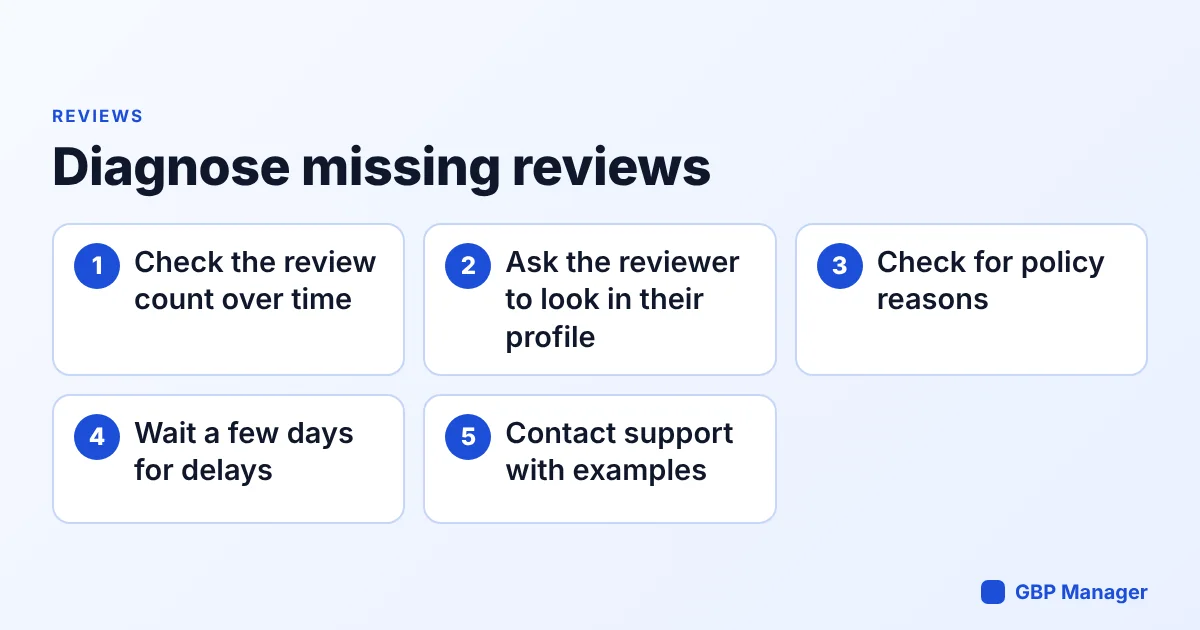
- Count over time. Note your review count weekly in a spreadsheet so you can see drops.
- Ask the customer. Ask them to open Maps, Your contributions, Reviews and see if it is still there or marked as pending.
- Check your export. If you saved reviews, compare. See export reviews.
- Look at the date. Many reviews posted in a few days from one device or offer could be filtered.
What you can do
- Wait. Give a new review 48 to 72 hours.
- Ask the reviewer to repost with a few more details, written honestly and from their own device. Do not push.
- Contact support if several genuine reviews have gone. Include the profile link, dates, reviewer names (with permission) and screenshots. See contact support.
- Ask in the community forum for a Product Expert to escalate.
What not to do
- Do not buy replacements or ask staff to fill the gap.
- Do not try to post many reviews in one day.
- Do not run a review station that posts from one device. See review policy.
Prevent filtering
- Ask for reviews steadily, not in a burst.
- Let customers review on their own phone.
- Keep the process honest and without incentives.
- Encourage details about the job.
Reviews that appear to be gone but are not
- The rating or count may be cached. Check in a private window.
- The profile may have moved to a new listing.
- Reviews may be shown in a different language filter.
Common mistakes
- Blaming a competitor without evidence.
- Opening many support cases.
- Asking customers to post again the same day.
- Giving gifts to replace reviews.
Quick answers
Does Google tell you why? Often not.
Can they come back? Sometimes, if it was a mistake.
How many disappear normally? A few can be filtered; large drops merit support.
Will deleting a duplicate remove reviews? It may.
Try it
Track your review count and replies in GBP Manager to notice drops early.