
Quick answer: Do not appeal straight away. First find what is wrong: a keyword-stuffed name, an address that does not qualify, mismatched details, a duplicate profile or a recent burst of edits. Fix it, gather proof that your business is real and matches the profile, then submit the reinstatement request once, carefully. Avoid creating a new profile, because duplicates cause more suspensions.
A suspension feels like an emergency, because your business disappears from Maps and you lose calls. The temptation is to appeal in a hurry. That usually makes things worse. You often get only a couple of chances, so the aim is to appeal once, with the right fix and the right evidence.
What a suspension means
When a profile is suspended, it stops showing in search and on Maps and you lose the ability to manage it. Google's guidelines say a profile can be suspended for violating its prohibited content rules, for inaccurate or unnecessary information (especially in the business name), for multiple profiles for the same business or location, and for unauthorised management by third parties.
Step 1: Find the likely cause
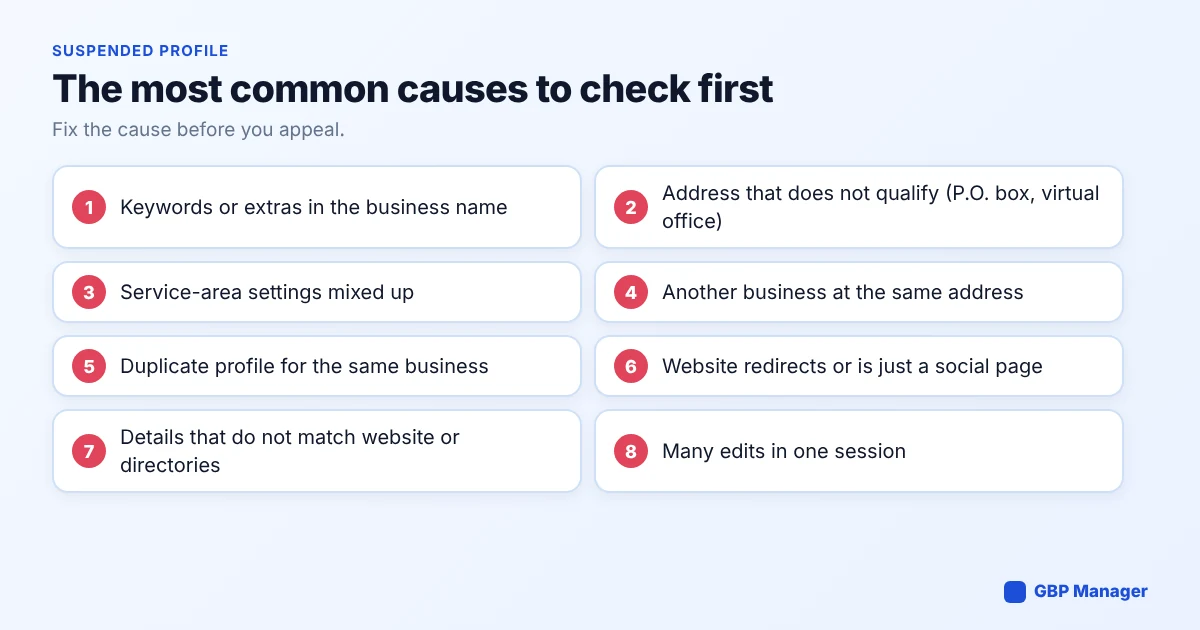
Go through this list and note anything that applies. These are the causes that experienced local SEO practitioners report most often, along with the points in Google's own guidelines.
- Keywords or extras in the business name. Your name should match your real-world signage. No taglines, services, locations or all-caps.
- An address that does not qualify. P.O. boxes, mailbox services, virtual offices, and co-working spaces without proper signage and staff.
- Service-area settings mixed up. A service-area business showing a street address, or switching between a storefront and a service area.
- Another business at the same address, especially a home address, or two profiles with overlapping service areas.
- Duplicate profiles for the same business at the same address.
- A website that redirects or just links to a social media page.
- Details that do not match your website and directories: address, hours, name.
- Unusual hours, such as 24/7 listed for a business that is not.
- Many edits at once. A lot of changes in one session can trigger a review, especially to name, address or category.
- High-risk categories, such as locksmiths, plumbers and lawyers, which Google checks more closely even without a violation.
- Account problems, such as a suspended manager account or an unauthorised person managing the profile.
Step 2: Fix the problem before you appeal
Fix what you found, in your profile and on your site, then wait to check that the changes are live.
- Change the name to match your signage exactly.
- Correct the address, and hide it if you are a service-area business without a public premises.
- Make sure your website, profile and main directories agree. See NAP consistency.
- Remove duplicates by claiming and merging or reporting them. Do not create a new profile.
- Make sure the website link goes to a real page on your own site.
- Stop editing the profile while you appeal. Repeated edits can make things worse.
Step 3: Prepare your evidence
Google may ask you to prove that your business exists, operates at the address and matches your profile. Gather clean, readable copies.
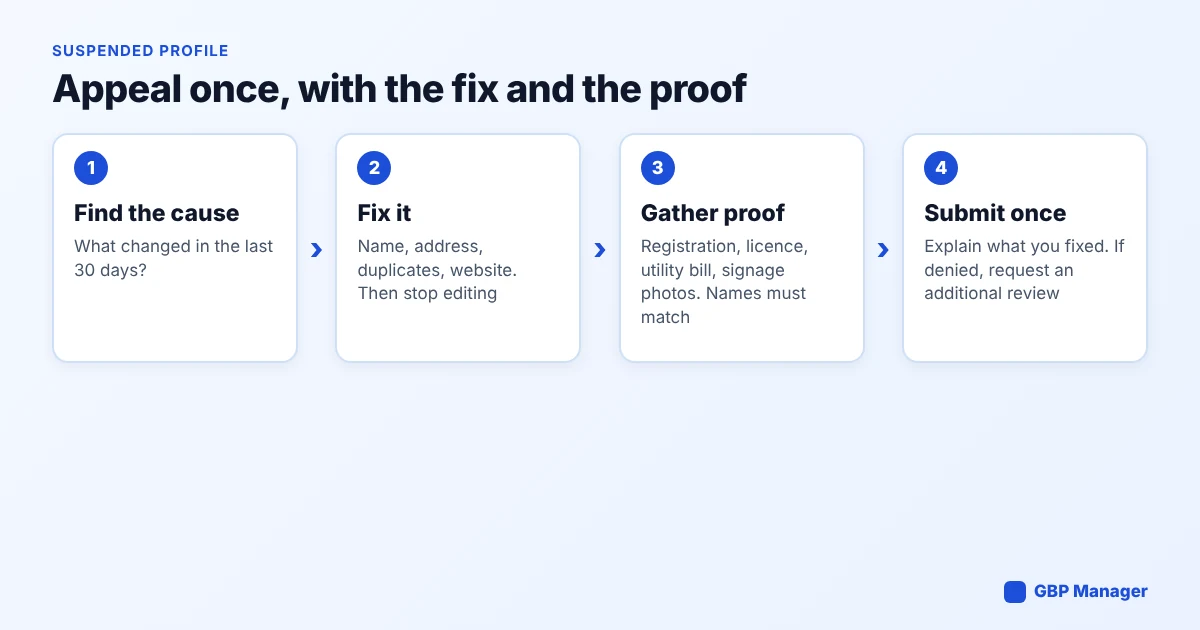
Useful documents:
- Official business registration, a business license or tax certificates
- Utility bills (electricity, phone, water or internet) in the business name and address
- Photos of permanent signage outside the business, or branded vehicles for a service-area business
- A short video or photos showing the storefront, the inside and your tools or products
Key rules: every document should show the same business name and address as your profile, and the photos should be clear. Zip files are accepted by the appeals form, so you can attach several at once.
Step 4: Submit the reinstatement request
- Sign in with the Google account that manages the profile.
- Open the appeal form for your profile.
- Explain in plain words what the problem was, what you fixed and what evidence you are attaching.
- Attach your documents, check them once, and submit.
Do not submit the same appeal repeatedly. Wait for the reply, which Google sends by email.
If the appeal is denied
You can ask for an additional review. Log in with the email that manages the profile, complete the additional review form, and say what you fixed and what new evidence you are providing. Include links to official listings such as your business registration or other trusted directories if you have them. Send more evidence than the first time. Any owner or manager can submit this form, and results usually come by email within about five days.
Be careful: sending the wrong documents or leaving a problem unfixed can leave you with few chances left. If the business matters a lot to you and you are not sure what is wrong, a local SEO specialist can be worth paying for.
While you wait
- Tell your customers on your website, social media and phone message that you are still open.
- Make sure your Bing Places, Apple Business Connect and Facebook details are right, since customers will look there.
- Keep your review process ready, and save a copy of your existing reviews, so you can pick up quickly when the profile returns.
- Do not create a new profile as a workaround. Google's guidelines list multiple profiles for the same business or location as a reason for suspension.
After reinstatement
- Keep your name, address and phone consistent everywhere.
- Add a second owner to the profile, so one lost account cannot lock you out.
- Make small changes slowly, and avoid editing name, address and category in one session.
- Keep your documents in a folder in case you need them again.
- Check your profile each month.
What most guides miss
- Ask "what changed in the last 30 days?" first. Suspensions often follow a recent change: a new address, a new name, a new category or a bulk edit. List every change from the past month. The cause is often on that list.
- Write the appeal for a stranger. Imagine the reader knows nothing about your business. Say what you are, where you are and what you fixed in plain words, and make it easy to confirm with documents.
- Match the evidence to the exact words in your profile. If your profile says "Sunrise Dental" and your utility bill says "Sunrise Dental Care Pvt Ltd", explain the difference in the appeal and attach proof of the trading name.
- Keep a timeline. Write the date of each action: the suspension, the fix, the appeal, the reply. It helps you stay calm and helps anyone you hire.
- Do not use fake documents or edit them. Google can detect inconsistencies, and a misleading appeal risks losing the profile for good.
- Do not assume a penalty from reviews. A suspension is usually about the profile or the address, not about a single review. If you are worried about reviews, see How to remove fake Google reviews.
Quick answers
How long does reinstatement take? Google's timing varies. After an additional review request, expect up to about five days for an email with the result.
Can I create a new profile instead? No. A duplicate profile for the same business or location is a reason for suspension and can make the existing problem worse.
Will I lose my reviews? Google does not promise what happens to a profile's reviews if it is not restored, so keep your own record: screenshots of your reviews and rating. That is one more reason to appeal carefully rather than fast.
Is a suspension a penalty for bad behaviour? Often it is a guideline problem, such as the name or the address, which you can fix.
Can GBP Manager reinstate my profile? No. GBP Manager cannot talk to Google on your behalf about a suspension. You need to submit the appeal yourself. Once your profile is back, you can use GBP Manager to reply to reviews, post and track your map.
Try it
When your profile is live again, GBP Manager helps you keep it healthy: reply to reviews, post, and watch your Maps ranking.
GBP Manager is not affiliated with Google. Google and Google Business Profile are trademarks of Google LLC.