
Quick answer: You cannot delete a Google review yourself. You can report one that breaks Google's content policies, such as fake engagement, a conflict of interest (a competitor or former employee), spam, off-topic content, harassment or private information. Report it from your profile, keep a record of why it breaks the rules, reply calmly in public, and never offer anything to get a review removed. Honest negative reviews stay.
A fake or unfair review hurts, and the instinct is to fight it. The better approach is to treat it like a short project: check whether it is reportable, report it with a clear reason, reply for the benefit of other readers, and keep monitoring.
What can be removed, and what cannot
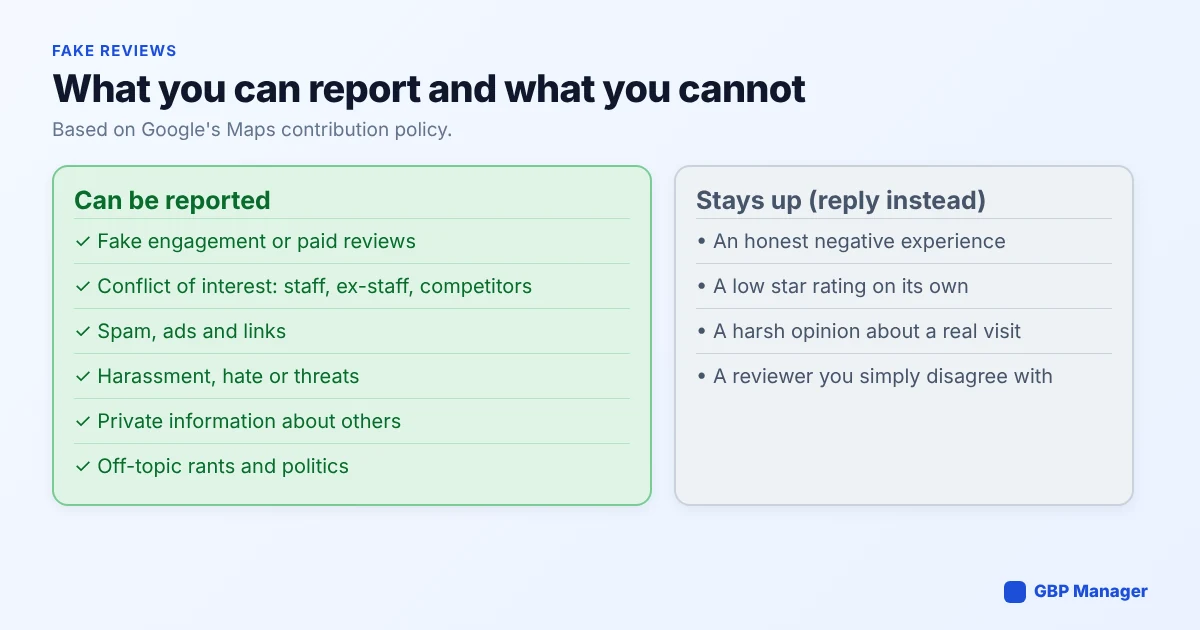
Google's contribution policy lists the kinds of review it removes. In plain words:
- Fake engagement. Reviews that are fabricated or misrepresent a place, paid reviews, reviews posted from many accounts at one person's direction, or reviews posted by tampering with devices.
- Conflicts of interest. Reviews from current or former employees, from competitors, or from people with a personal or professional link to the business, such as family.
- Rating manipulation. Unusual volumes or patterns of reviews meant to change a rating, and reviews prompted by an incentive.
- Misrepresentation. False or misleading content, including attempts to scam or phish.
- Harassment and hate speech. Threats, doxxing or dehumanising content.
- Offensive content. Attacks on people and unsubstantiated claims of unethical or criminal conduct.
- Personal information. Posting someone's private details without consent.
- Advertising and solicitation. Reviews containing promotions, emails, phone numbers or links.
- Off-topic content. Political or social commentary and personal rants, not an experience of the business.
- Unclear or repetitive content. Meaningless text, duplicates or edits meant to damage a listing.
What stays up: an honest, respectful negative experience, even if you disagree with it. Google's policy allows respectful negative experiences. Wrong stars or a harsh opinion are not enough on their own.
Step 1: Decide if it is reportable
Read the review twice and ask:
- Does it describe a real visit? If you cannot match the person to a customer, that alone is not enough, but it is a clue.
- Does it match any policy above?
- Can I show why in one or two sentences?
If you cannot name the policy it breaks, it is probably a review you have to live with and reply to.
Step 2: Collect evidence before you report
You will usually report from a form with limited space, so know your reason first.
- Take a screenshot of the review with the date.
- Take a screenshot of the reviewer's profile, if public.
- Write one sentence that links the review to a policy, for example "Reviewer is a former employee (left in March), conflict of interest."
- If the same person or a pattern of accounts left several reviews, note the dates.
- Do not copy private data about the reviewer into the report.
Step 3: Report it
Google says you can flag a review if you believe it violates its content policies. In general:
- Sign in with the Google account that manages the profile.
- Find the review on your profile (search your business on Google or Maps, or open the reviews in your Business Profile tools).
- Use the flag or report option next to the review and choose the reason that best fits.
- Submit and keep a note of the date.
Menu names change from time to time, so look for the flag or report icon next to a review. Google's help pages on inappropriate reviews and on negative review extortion scams explain the options in more detail.
Pick one reason that fits best. Do not submit many reports for the same review.
Step 4: Reply in public while you wait
A report can take a while, and the review stays visible until a decision. Reply calmly so that readers see a fair business.
Hi, thank you for your feedback. We take every review seriously, but we could not match this to a visit. We have reported it to Google for review. If you are a customer, please contact us at care@example.com so we can put things right. – Priya
Rules for this reply:
- Do not accuse anyone.
- Do not share private details.
- Do not make offers.
- Keep it to a few sentences.
More examples, including replies to reviews you suspect are fake, are in How to respond to Google reviews: 20 examples.
Step 5: If it is not removed
You can usually try again if you have new evidence, but do not spam reports. Alternatives:
- Leave the reply as it is. Readers often trust the business more when the reply is fair.
- Add genuine new reviews by asking real customers. A steady flow of honest reviews pushes the fake one down. See How to get more Google reviews.
- If someone is demanding payment to remove or avoid a negative review, that is an extortion scam. Do not pay, keep the messages and report it to Google through the extortion scam route on its help pages.
- If the content is defamatory or threatening, you may need legal advice. Keep your evidence and ask a lawyer, not a review company.
Things you must never do
- Never pay anyone who guarantees removal. Only Google decides, so a guarantee is a warning sign. Any method that involves fake reports or fake accounts breaks Google's policy and puts your profile at risk.
- Never offer a customer a discount, gift or refund to change or remove a review. Google's policy prohibits incentives for posting, changing or removing reviews.
- Never post fake positive reviews to bury a negative one. Posting reviews yourself, or having staff or friends do it, is a conflict of interest and fake engagement.
- Never threaten reviewers in public.
- Never ask all your customers for 5-star reviews in a rush. Unusual bursts look like manipulation.
Watch what happens in GBP Manager
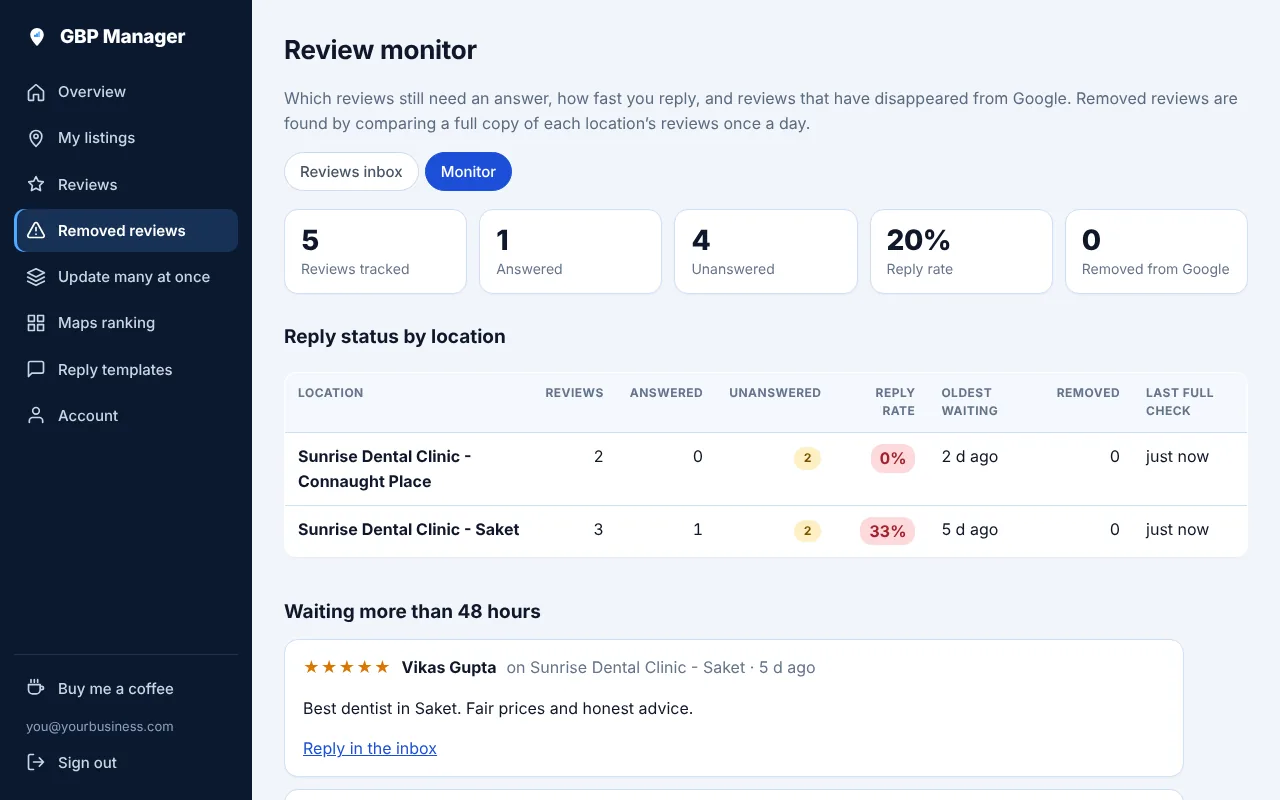
Reviews can change after you report them: they may be removed, edited or come back. In GBP Manager, the Removed reviews page doubles as a review monitor. It shows your reply rate, how long the oldest review has been waiting for an answer, and any review that has disappeared from Google, so you can see when your report worked.
Reply to the review from Reviews, using a template so your tone stays calm.
What most guides miss
- A reply is part of the fix. Many owners report and then wait silently. The reply is what most future customers actually see, so write it well.
- Match the report reason to the policy words. "Conflict of interest" and "fake engagement" are the labels Google uses. A short, factual reason beats a long angry one.
- Keep an evidence log. One row per review: date, screenshot, policy, report date, outcome. You will need it if there is a pattern.
- Do not confuse unfair with fake. A harsh review about a real visit is unfair, but allowed. If you report it as fake, you lose credibility. Reply and move on.
- Look for patterns. Several one-star reviews from new accounts in a few days, or all mentioning the same odd detail, point to coordinated activity. Add dates to your report and tell Google.
- Prevention beats removal. Ask all happy customers for a review so any single bad review is a small part of a large total. See Google review link and QR code.
Quick answers
Can I delete a Google review? No. You can report reviews that break Google's policies. Only Google can remove them.
How long does it take for a reported review to disappear? It varies. Keep a record of the report date, and check back after a few days.
Will Google tell me why a report was rejected? Not always in detail. If you have clear new evidence you can try again.
Does replying to a fake review stop me reporting it? No. Reply and report.
Should I hire a review removal company? Be very careful. Do not use any service that guarantees removal or asks you to buy fake reviews.
Try it
GBP Manager is free. Use the review monitor to see when reviews change, and reply from templates in a calm, consistent voice.
GBP Manager is not affiliated with Google. Google and Google Business Profile are trademarks of Google LLC.