
Quick answer: Open your profile, choose Edit profile, go to Business hours, then Add special hours (or Edit holiday hours). Pick the date, set the open and close times or mark the day closed, and save. Do it one to two weeks before the date.
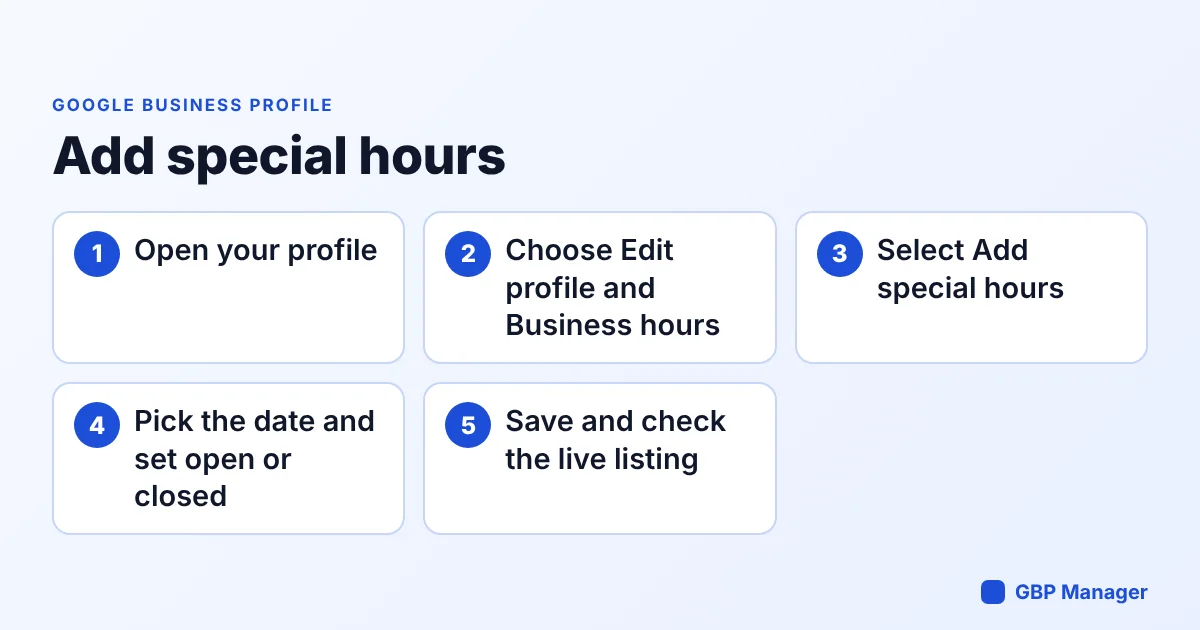
Steps
- Sign in and search your business name, or open the manager.
- Choose Edit profile.
- Open Business hours.
- Under Special hours, click Add special hours or Edit.
- Choose the date (for example, Christmas Day).
- Set the hours you will be open, or choose Closed.
- Save.
Google often suggests upcoming holidays for you. Confirm or edit them.
When to set them
- Set them at least a week or two before a holiday.
- Check them again a few days before.
- Review the whole year in January and add known closures.
Types of special days
- Public holidays: where your hours differ.
- Private events or training days: a one-off closure.
- Seasonal changes: a longer period, such as a summer schedule. See update hours or temporarily closed.
- Early closing: on a day before a holiday.
What customers see
Special hours replace the normal ones for that date, and the listing shows a notice such as "Holiday hours may differ" if Google is unsure. Correct hours cut down on angry reviews like "closed when it said open".
Do not forget
- Your website, social pages and Bing/Apple listings. See Bing Places.
- Phone voicemail.
- Delivery and booking systems.
Posts and holiday notices
A post saying "Closed 24 to 26 December, back on the 27th" is helpful. See posts.
Mistakes that cause problems
- Setting hours the day before.
- Forgetting to remove one-off hours after the event.
- Setting 24 hours when not open 24 hours.
- Only changing the website.
Multi-location tip
If you manage many locations, put a repeating reminder in your calendar and update all profiles at once. A bulk tool or spreadsheet upload helps; Google offers bulk editing for many locations. A tool like GBP Manager shows all your profiles in one list.
Quick answers
Can I set hours a year ahead? Yes, you can add future dates.
Do special hours override regular hours? For those dates, yes.
What if Google changed my hours? Edit them again, and check for suggested edits.
Can customers see "temporarily closed"? That is a separate status. See temporary closure.
Try it
Keep all your profiles' hours right across locations with GBP Manager.