
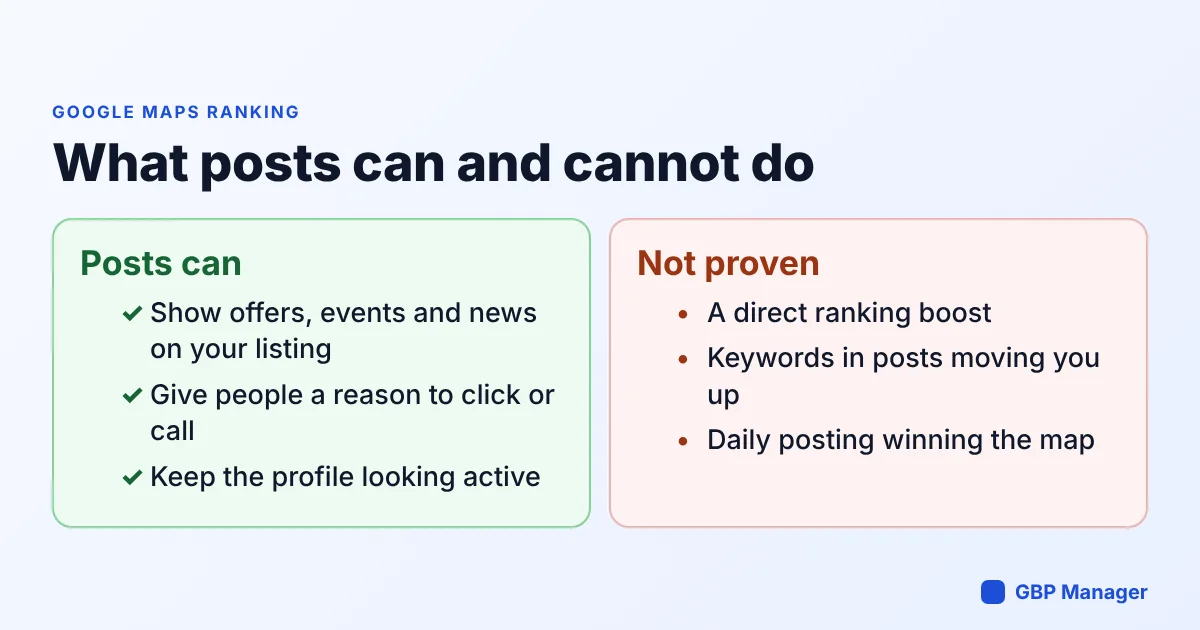
Quick answer: Google has not said that posting changes your ranking. Posts do appear on your listing and can bring more clicks, calls and visits, which is valuable by itself. Post when you have something real to say (an offer, event, new service or update), and judge success by actions on the listing, not by position.
What Google says ranks you
Local results rely on relevance, distance and prominence. Posts are not named among them. See relevance, distance and prominence. Some local SEO studies report a small link between active profiles and visibility, but correlation is not proof, and active businesses tend to be doing other things right too.
What posts are actually good for
- Conversion. A well-made offer or event post can turn a profile view into a call.
- Freshness. A profile with recent updates looks alive.
- Answering questions. Since the old Q&A is changing, a post can state a seasonal fact. See Q&A changes.
- Calls to action. Buttons such as Learn more, Call now, Book or Order.
Types of post
- Update: news, a new product, a tip.
- Offer: a deal with a start and end date.
- Event: a date and time.
Offers and events show for their dates. Updates remain available but the most recent show first.
What to put in a good post
- One clear message.
- One real photo.
- A short text, up to a few sentences.
- A single button that matches the message.
- No phone numbers in the text.
- No prohibited content such as misleading claims.
A routine that is realistic
- One post per week, per location.
- Rotate: offer, new work, team news, tip, event, review spotlight (without private details).
- Reuse your best content. A photo and 40 words is enough.
For many locations, publishing the same message everywhere is faster with a bulk tool, but always change the local details. See post to many profiles.
How to tell whether posts work for you
- Use the performance data for calls, direction requests and website clicks. See performance insights.
- Add UTM tags to post buttons so your analytics shows traffic. See UTM links.
- Compare weeks with posts against weeks without, keeping other things stable.
Common mistakes
- Posting nothing, then ten posts in one day.
- Copy and paste everywhere with the wrong city.
- Putting a promotion with no end date.
- Writing posts only for keywords.
Quick answers
How often should I post? Weekly is a sensible target.
Do posts expire? Offers and events end on their dates; others fall down the list.
Can I schedule posts? Third-party tools can.
Do posts show in Search? They can appear on your listing in Search and Maps.
Try it
Post to several profiles at once and track results in GBP Manager.