
Quick answer: Google confirms three factors: relevance, distance and prominence. Industry studies add detail, such as the weight of the primary category, review signals, website content and links. Other popular ideas, like geotagging photos or daily posting, are unproven. Prioritise what is confirmed and what is cheap to do.
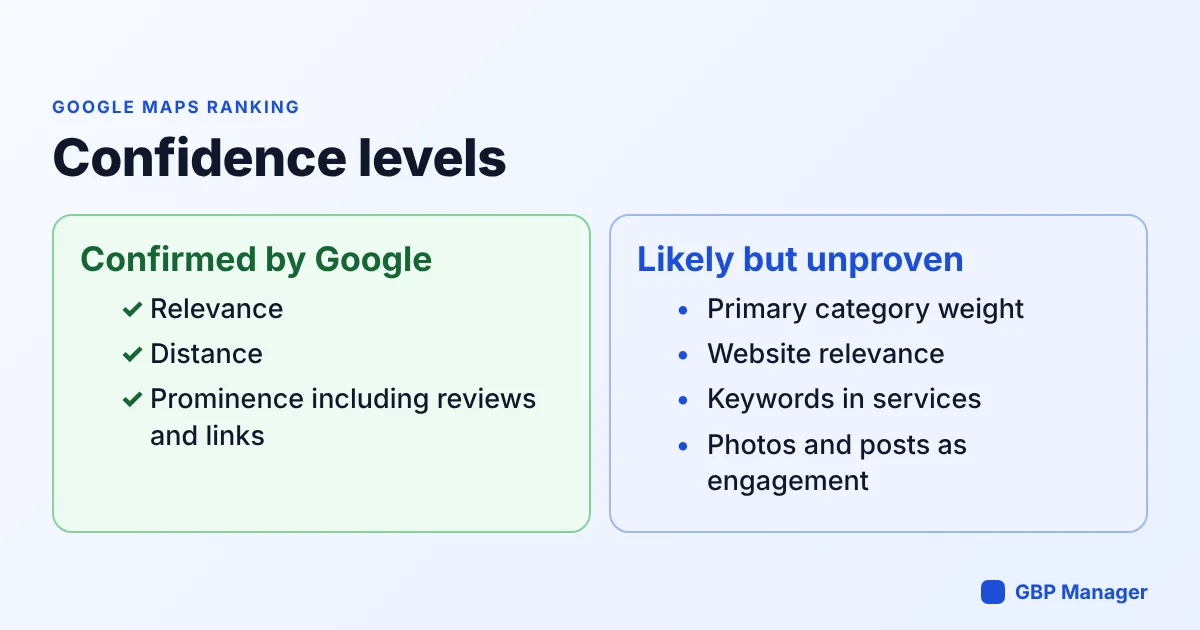
Confirmed by Google
Google's help page on improving local ranking states:
- Relevance: how well a profile matches the search.
- Distance: how far it is from the searcher or the named place.
- Prominence: how well known the business is, using information from across the web, including review count and score, and links and directories.
See relevance, distance and prominence.
Strongly supported by studies
Surveys of local SEO professionals and correlation studies tend to agree on these:
- Primary category. The most consistently influential profile field. See categories.
- Reviews: count, score, recency and keywords inside reviews. See reviews and SEO.
- Website signals: local relevance of pages, title tags, links to the site.
- Proximity to the searcher, again.
- Consistent citations: name, address and phone matching across the web. See NAP consistency.
Studies show correlation, not proof, and they change each year.
Plausible supporting factors
- Description, services and attributes that match the search.
- Behavioural signals such as clicks, calls and direction requests.
- Open now status for relevant searches.
- Photos, posts and Q and A as engagement, not as direct triggers. See photos and posts.
Likely myths
- Geotagging images.
- Keywords stuffed into the business name (it can get you suspended). See keywords.
- Daily posting as a rank booster.
- Having many service areas to rank everywhere.
- Paying Google to rank organically.
How to prioritise
- Free and confirmed first: categories, accuracy, reviews.
- Website: local pages and links.
- Citations: clean up the basics.
- Engagement: photos, posts, replies.
- Test the rest one change at a time.
Rank is local
Your position changes from street to street. A single search at your desk misleads. Measure on a grid and track top-3 coverage. See check Google Maps ranking.
Treat studies carefully
Rankings vary by industry and market. A factor that matters for lawyers may not matter for restaurants. Test on your own profile.
Common mistakes
- Chasing a 100-point checklist of micro-factors.
- Copying the top competitor's categories without checking fit.
- Changing the name to include keywords.
- Ignoring distance when judging results.
Quick answers
Is there an official list? Only the three factors.
How much does each weigh? Google does not say.
Do ads help? No, not organic.
How often does it change? Google updates local search frequently. See updates changelog.
Try it
Measure the effect of your changes with a ranking grid in GBP Manager.