
Quick answer: Choose the primary category that best describes your main business (it is a very strong relevance signal), then add a few secondary categories for other real services. Google allows one primary and up to nine secondary. Pick from Google's list, check what ranking competitors use, and do not add categories you do not truly serve.
Why categories matter
Categories tell Google what your business is. Relevance is one of the three main local ranking factors, and categories are central to it. See relevance, distance and prominence. Categories also control which attributes, services and buttons you can use.
How many
- One primary category.
- Up to nine secondary categories (ten total). Google may change the limits, so check your dashboard.
More is not better. Too many unrelated categories can dilute your relevance.
How to choose the primary
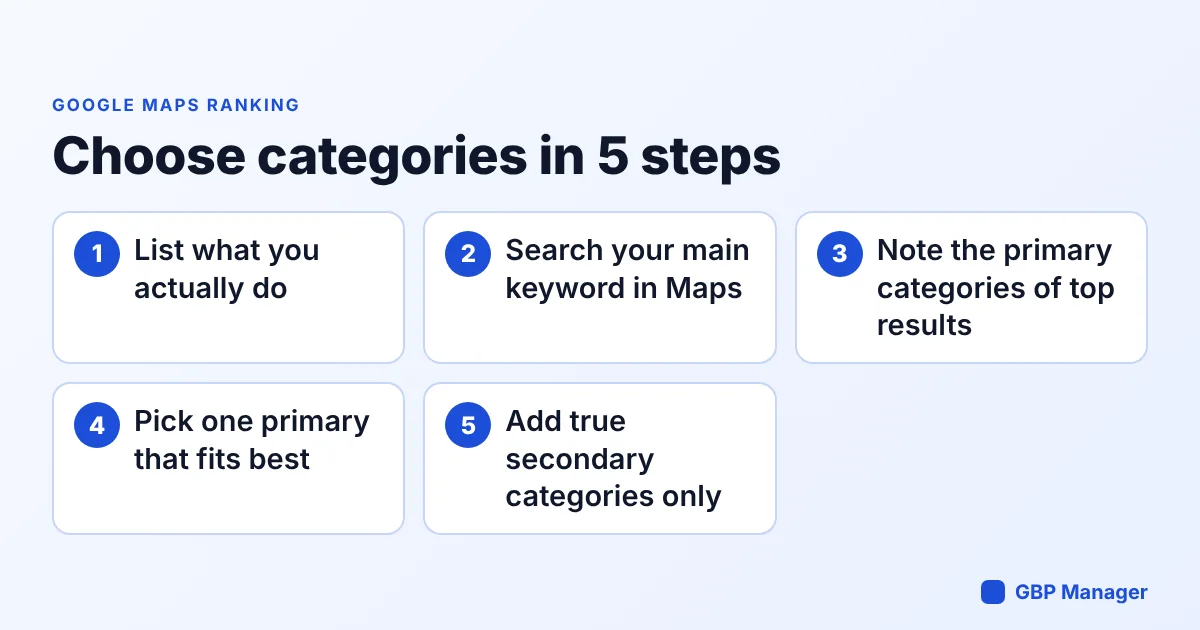
- List your services by income.
- Choose the category that matches the biggest one.
- Search how customers phrase it ("emergency plumber", "family dentist") in Maps.
- Open the top three results. Check their primary category. Some tools and browser extensions show it. You can also see it on the profile under the name.
- Choose the category that best fits your business, not simply a copy.
Secondary categories
Add a secondary when:
- You offer that service every week.
- It is a distinct offering (for example, a plumber who also does heating engineer work).
- A matching category exists.
Do not add:
- Services you rarely do.
- Generic "consultant" labels.
- Categories for services you want to offer in the future.
Changing your primary
If you change the primary, expect results to shift for some time. Do it when your business really changed, or when you picked a poor category. Change one thing at a time and track your position. See check Google Maps ranking.
Categories and services
Your services list depends on your categories, so set the categories first. See services.
Common situations
- A restaurant that is also a bar: primary is what most people use you for, secondary is the other.
- A dentist offering orthodontics: primary Dentist, secondary related.
- A contractor with several trades: primary the largest, add distinct trades as secondary. See contractors guide.
Mistakes
- Picking a broad category when a specific one exists.
- Copying a competitor's category blindly without checking you match.
- Adding every category in the list.
- Using the business name to say what you do. See keywords.
Quick answers
Can I make up a category? No. Choose from Google's list.
Do categories change over time? Google adds and renames some.
Is my primary category visible? Yes, under your name.
Can I see competitors' secondary categories? Not directly in Google; some tools show them.
Try it
Track whether category changes move your map position with GBP Manager.