
Quick answer: Open People and access, invite the new person as an Owner, wait for them to accept, then change the primary owner to them. After that you can remove yourself or keep a lower role. Both people need a Google Account, and the profile must be verified.
Transfers come up when a business is sold, when you move from an agency to in-house, or when the profile sits under an old email you no longer use.
Steps
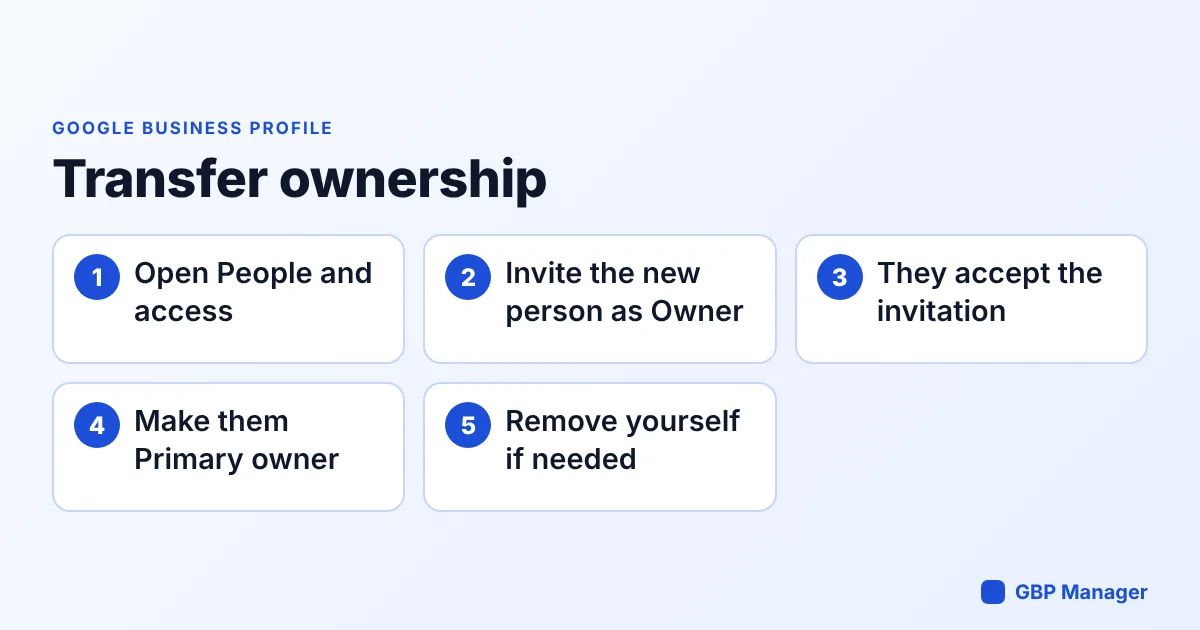
- Sign in as the current primary owner.
- Open the profile and choose People and access.
- Click Add and invite the new person's email as Owner.
- Ask them to accept. They will get an email, or can accept inside the Business Profile Manager.
- Back in People and access, click their name and choose Make primary owner (the exact label can vary).
- Confirm. They are now the primary owner.
- If you are leaving, remove your own access or change your role.
What changes and what does not
- Reviews, photos, posts and the listing itself stay the same.
- The new owner gets full control and can remove you.
- Verification normally stays in place. Some changes (name or address) can trigger re-verification.
Selling the business
Do this before handing over the keys:
- Transfer ownership to the buyer's account after payment is final.
- Remove your remaining access.
- Remove old users who do not need to stay.
- Tell the buyer to check hours, phone and website, so customers do not call you.
Changing agency
- The new agency asks you for manager access first.
- Old agency is removed from users.
- If the old agency is primary owner, ask them to transfer to you. See claim a profile if they are unresponsive.
When the transfer fails
- No primary owner option: only owners can use it, and the person must already be an owner.
- Invitation never arrives: check spam, or confirm the email is a Google Account.
- Owner is gone: use Request access and, if needed, the ownership appeal, with documents showing you run the business.
- Profile is suspended: fix the suspension first. See suspended profiles.
Common mistakes
- Removing yourself before the new owner accepted.
- Transferring to a personal address of an employee.
- Forgetting to update the notification email.
Quick answers
Is there a fee? No.
Do I lose reviews? No.
How long does it take? Minutes once accepted.
Can I transfer to a different business? No. The listing represents one real business.
Try it
After the transfer, connect the profile in GBP Manager so you can see reviews and rankings straight away.