
Quick answer: Open your profile, go to the menu for People and access, and choose Add. Enter the person's email and pick Owner or Manager. To remove someone, open the same screen, select their name and remove them. Only owners can do this. Give agencies manager access and keep at least two owners inside your own business.
The roles
Google uses a small set of roles:
- Primary owner: the main contact. One per profile. Can transfer that status.
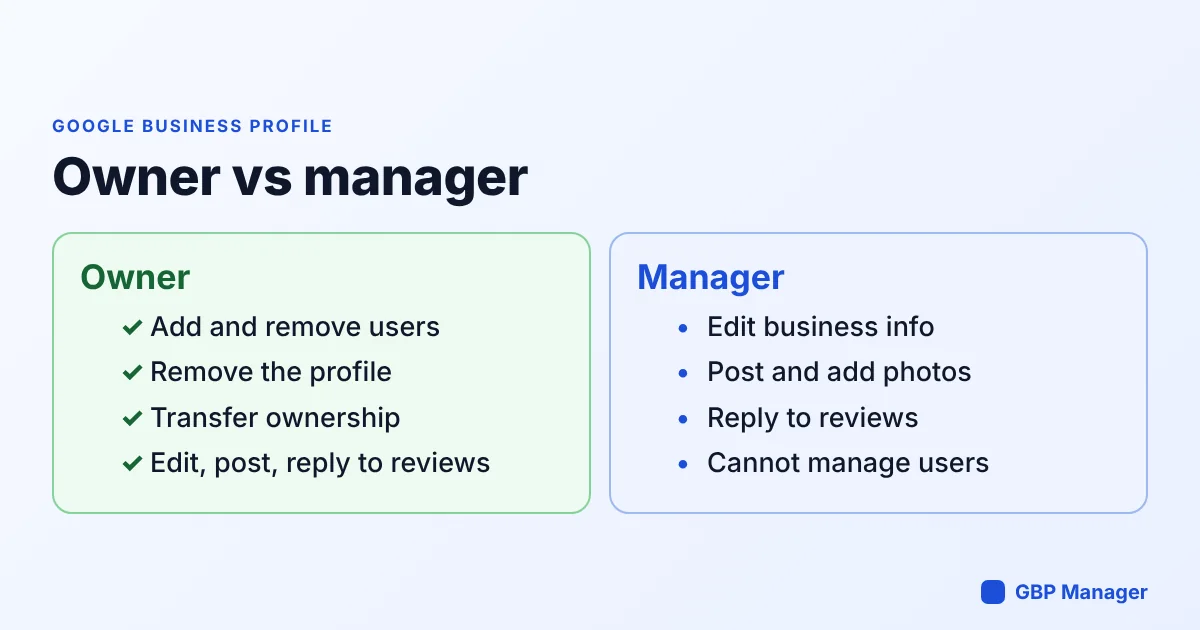
- Owner: can do everything a manager can, plus add and remove users, and remove the profile.
- Manager: can edit information, post, upload photos and reply to reviews, but cannot manage users or remove the profile.
Role names and permissions are shown on the People and access screen. If your screen shows slightly different wording, trust the screen over any guide.
Add a user
- Sign in with an owner account and open the profile (see find your profile).
- Open the profile menu and choose People and access.
- Click Add.
- Enter the person's email address. It works best with a Google Account email.
- Choose the role and send the invitation.
- The person accepts from the email or from the Business Profile Manager.
Remove a user
- Open People and access.
- Click the person's name.
- Choose to remove them, and confirm.
You cannot remove the only owner. Add another owner first if you need to remove the current one.
When an employee or agency leaves
Do this the same day:
- Remove their access.
- Check no personal Gmail is the only owner.
- Change passwords for any shared login if one was used.
- Review the list for unknown names.
If they were the primary owner, you need them (or Google's appeal) to hand it over. Do not wait for that to become urgent. See claim a profile.
Giving an agency access
- Ask them to send an invite from their own work email, not a personal one.
- Grant manager, not owner, unless they are really running the business.
- Put the arrangement in your contract: what they may change and how access ends.
- Check People and access every quarter.
Many profiles, many users
For one location the screen is simple. For many, Google lets owners manage users in groups for chains. A tool like GBP Manager works with the access your Google Account already has, so you add people on Google, then use the tool across all profiles you can manage. See Business Profile Manager.
Common mistakes
- Having one owner only.
- Using a former staff member's email.
- Making every helper an owner.
- Forgetting to remove a freelancer after a project.
Quick answers
Can a manager add other users? No.
Do users need a Gmail address? They need a Google Account, which can use a work email.
Does removing someone delete their reviews or edits? No. Edits stay; reviews belong to the listing.
Can I see who made a change? Google does not show a full edit history to users, so control access instead.
Try it
Connect your profiles to GBP Manager and check you still have owner or manager access on all of them.