
Quick answer: To audit your local SEO, check ten things in this order: profile control, name/address/phone accuracy, categories, profile completeness, photos, reviews, citations, website, local links and your Google Maps ranking. Score each 0, 1 or 2, add them up (maximum 20), and fix the lowest scores first. It takes about three hours.
A local SEO audit sounds like a big agency job. It does not have to be. You can check the ten things that matter most in about three hours, give yourself a score, and walk away with a short list of fixes in the right order.
This checklist is built for one business or a few locations. Use a notebook or a spreadsheet and give each check a score:
- 2 = in good shape
- 1 = partly done or inconsistent
- 0 = missing or wrong
Add it up at the end. The maximum is 20.
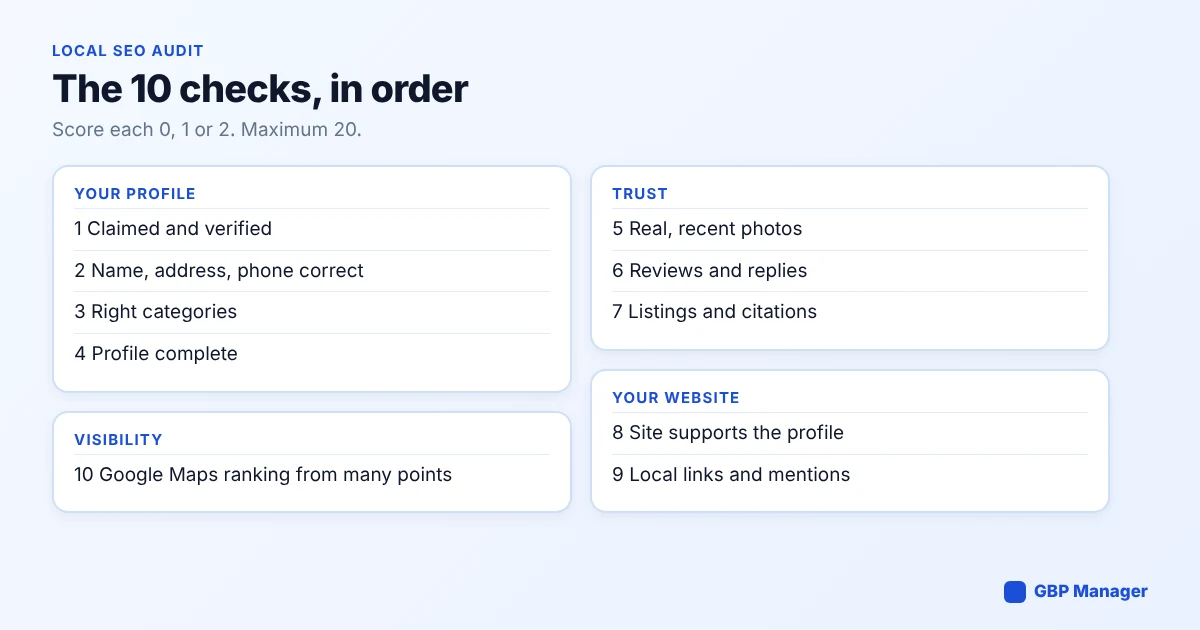
Part 1: Your Google Business Profile
Check 1: The profile is claimed and verified
Search for your business on Google. If you can see an Edit profile option when signed in with the right account, you manage it. If it says "Claim this business" or you are not sure who owns it, start there. An unverified profile cannot be fully managed. Our guide to Google Business Profile verification covers each method.
Score 2 if verified and you have the login. Score 0 if you do not control it.
Check 2: Name, address and phone are correct and match your real-world signage
Google's guidelines say to use your business name "as it's consistently represented and recognized in the real world". No extra keywords, no taglines. Check the address is precise and the phone number is one you answer.
Check 3: Categories fit the business
Your primary category matters most. Pick the most specific one that describes what you are ("Dentist", not "Health"). Add a few secondary categories only if they describe real services. Do not pad the list.
Check 4: The profile is complete
Look for gaps: opening hours (including holiday hours), services, products, attributes, business description, website link and appointment link. Google's own advice is to keep your information complete and accurate, because it helps Google match you to the right searches.
The optimization checklist walks through every field.
Part 2: Trust signals
Check 5: Photos are real, recent and varied
You want your storefront, inside, team and work. Check the date of your newest photo. If nothing new has been added in six months, add some this week.
Check 6: Reviews: number, rating, recency and replies
Open your reviews and note four things:
- How many do you have compared with the top three competitors?
- What is your average rating?
- Did anyone leave a review in the last 30 days?
- What share of reviews has a reply from you?
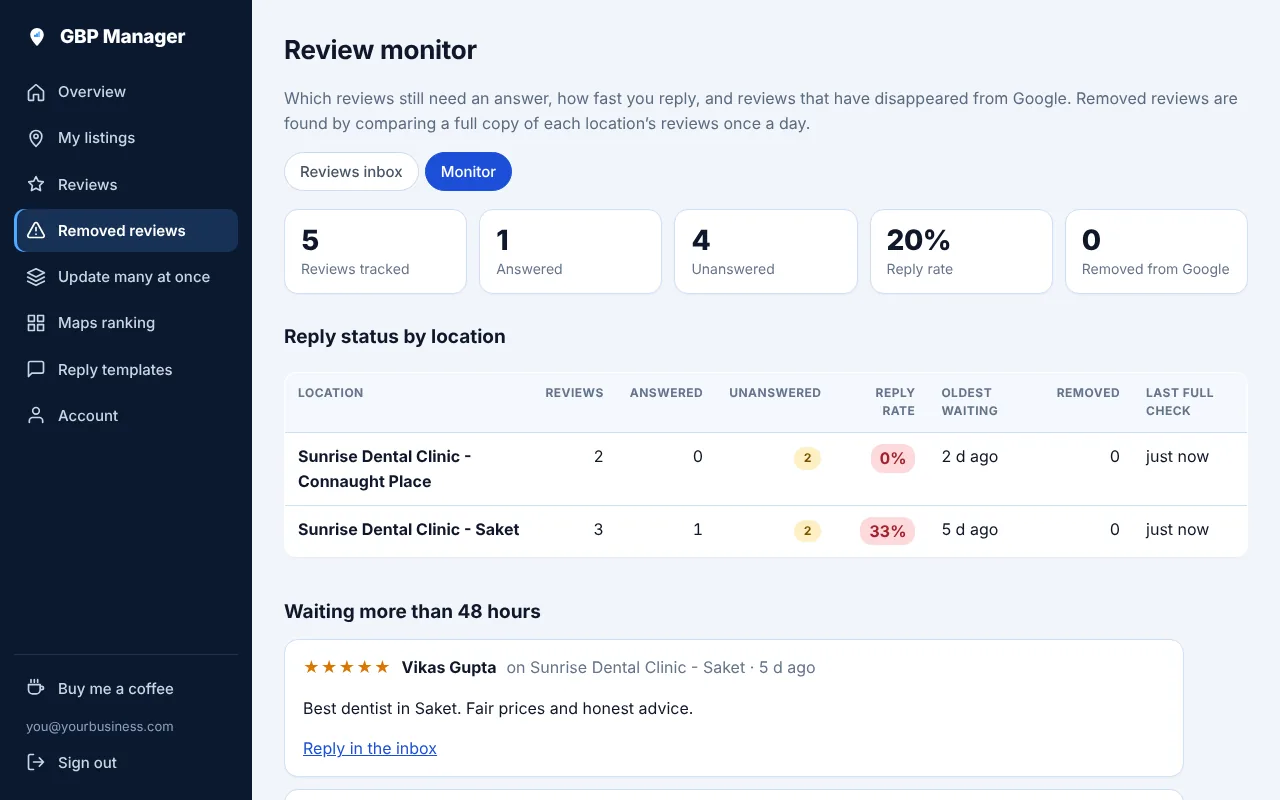
Replies matter. Google lists "respond to reviews" among its tips for standing out. The Removed reviews page in GBP Manager shows your reply rate for each location and how long the oldest unanswered review has been waiting, so this check takes seconds.
If the numbers are weak, read How to get more Google reviews and How to reply to Google reviews faster.
Check 7: Listings and citations are consistent
A citation is any mention of your business name, address and phone on another website: Bing Places, Apple Business Connect, Facebook, industry directories, local chambers of commerce. Search your business name and phone number and open the first page of results. Write down every place where the details differ from your profile.
See NAP consistency explained and Local SEO citations for how to fix mismatches.
Part 3: Your website
Check 8: The site supports the profile
Open your website on a phone and check these:
- Your name, address and phone are on the site, in text (not only in an image), and match your profile exactly.
- Your Google Business Profile links to the right page, and the page loads quickly on mobile.
- Each service you want to be found for has a page, with the service and the city in the title and the headings.
- Each location has its own page if you have several.
You can look at the page title and description by searching your business in Google or viewing the page source. Pages with no clear service or city are the most common gap on small business sites.
Check 9: Local links and mentions
Other local websites linking to you is part of prominence, which Google lists as one of its three local ranking factors. Check for links from your local chamber of commerce, suppliers, event pages, local news mentions and partner businesses. Search your business name in quotes and see who mentions you.
Score 2 if you have several relevant local links, 1 if you have one or two, 0 if none.
Part 4: Your visibility
Check 10: Your Google Maps ranking, from the street
This is the check most audits skip, and it is the one that shows whether the rest is working. Search for your main service from your own phone and you will see yourself near the top. That is not the real picture.
Run a map from many points around your address. In GBP Manager, open Maps ranking, add your business and choose a phrase and size. One free Nearby check (25 pins) is enough for the audit.
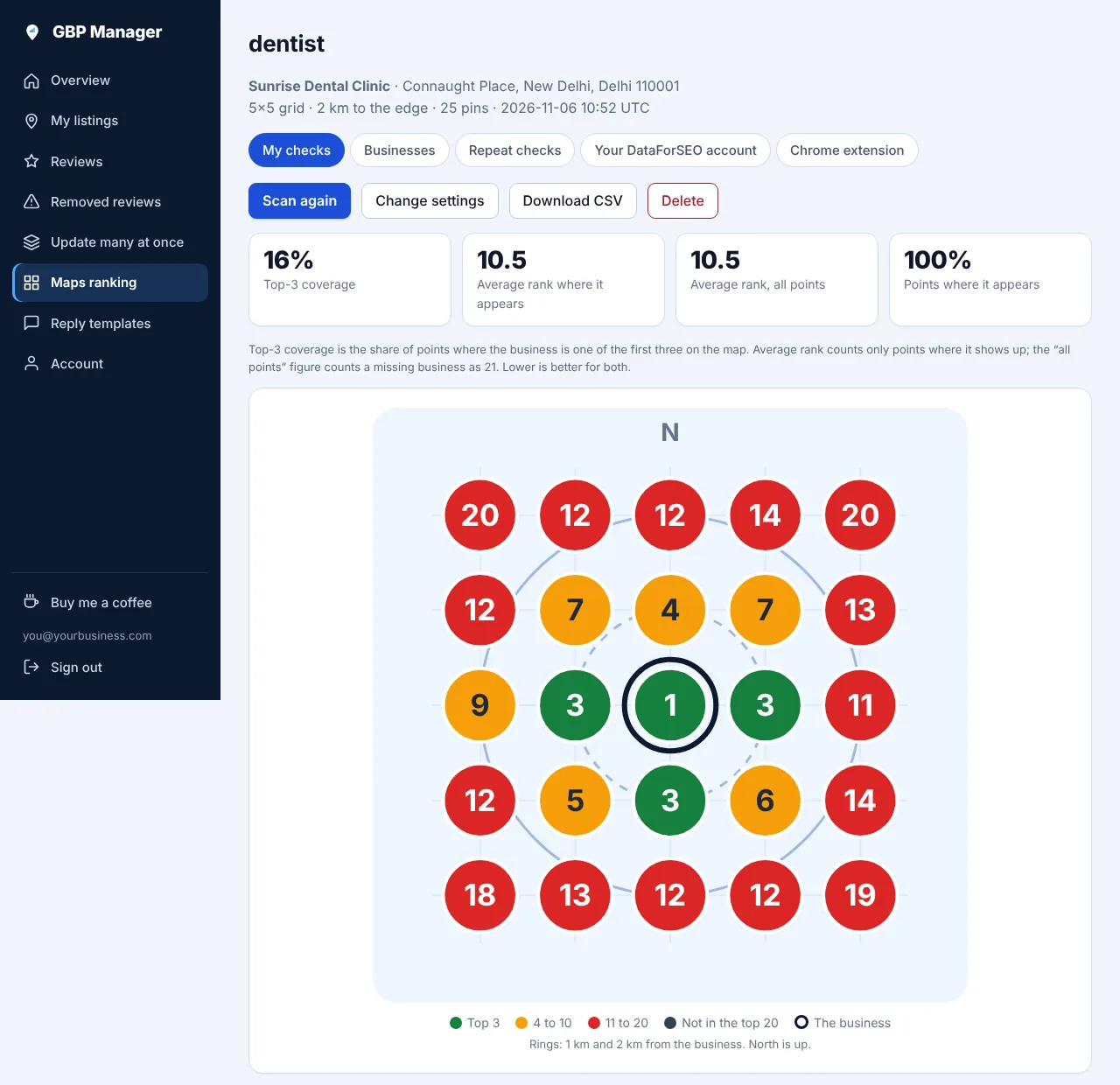
Score from the Top-3 coverage number:
- 2 if you are in the top three at more than half of the points
- 1 if it is between a quarter and a half
- 0 if it is under a quarter
These cut-offs are a rough guide for this checklist, not a Google rule. Repeat the same map in a month to see movement. The free local rank checker guide explains how to read the result.
Five audit tricks that make the result more honest
Most checklists stop at "check this". These five habits make your answers more reliable.
- Audit your competitors on the same checks. Spend ten minutes scoring the top three businesses on your map for checks 5 to 9 (photos, reviews, listings, website, links). You do not need a perfect score, you need to beat the weakest of them to move up. It also shows you which checks are normal in your market and which are real gaps.
- Search from a clean browser. Open a private window, or use a friend's phone on mobile data. Your own logged-in browser remembers you and flatters your business.
- Search your phone number, not just your name. Old listings and duplicates often hide under a previous business name but still show your number. Also search your old address if you have moved.
- Look at the site on a phone first. Most local searches happen on mobile. If the phone number is not tappable or the address is inside an image, note it.
- Write the date and the evidence next to every score. A screenshot and a date turn "reviews are weak" into "58 reviews on 6 November, competitor has 140". Next quarter you can see exactly what changed.
Add up your score
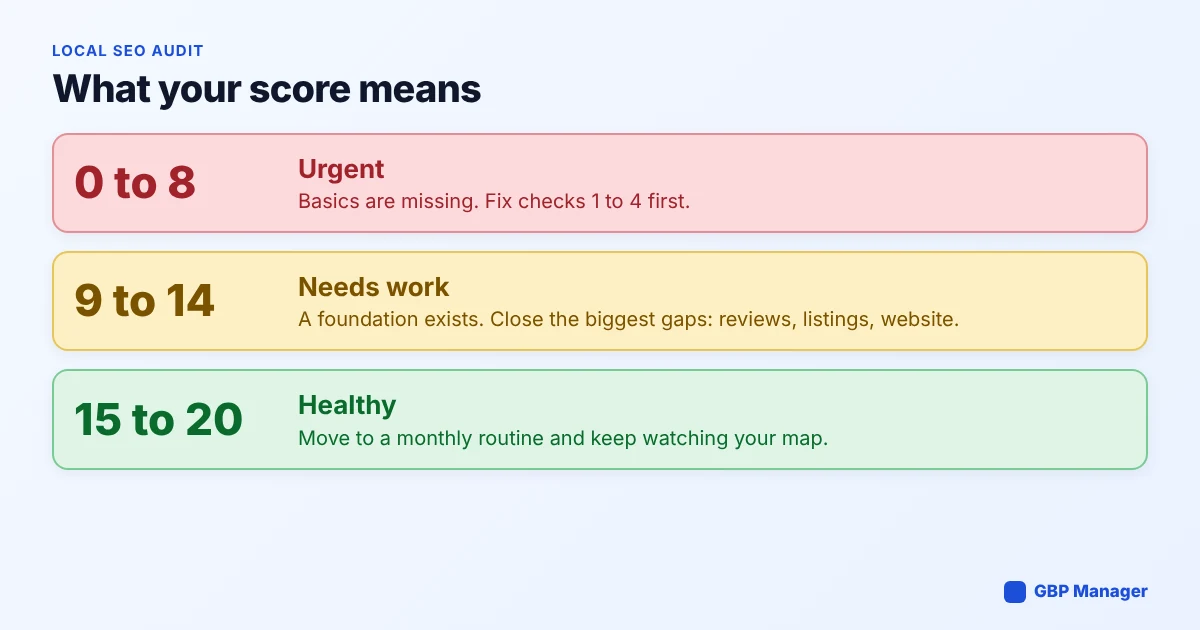
- 0 to 8: urgent. Your basics are not in place. Fix checks 1 to 4 before anything else.
- 9 to 14: needs work. You have a foundation. Close the biggest gaps, usually reviews, citations and the website.
- 15 to 20: healthy. Move to a monthly routine and keep an eye on your Maps ranking.
Turn the audit into a to-do list
Do not try to fix everything at once. Work in this order, because each step depends on the one before:
- Control and accuracy: checks 1 and 2. If you do not control the profile or the details are wrong, nothing else will help.
- Relevance: checks 3 and 4. Right category, complete profile.
- Trust: checks 5 and 6. Photos and reviews take time, so start early.
- Consistency: check 7.
- Website and links: checks 8 and 9.
- Measure: check 10, then repeat monthly.
Write each fix as a task with an owner and a date. A short list that gets done beats a long one that does not.
Keep it going
An audit is a snapshot. Repeat it every quarter, and put a few of the checks on a weekly or monthly routine. Our local SEO checklist for small businesses gives you that routine.
Try it
Check 6 and check 10 are the two that take the longest to do by hand. GBP Manager does both for free: sign in with Google, open Removed reviews for your reply rate and Maps ranking for your map.
GBP Manager is not affiliated with Google. Google, Google Maps and Google Business Profile are trademarks of Google LLC.